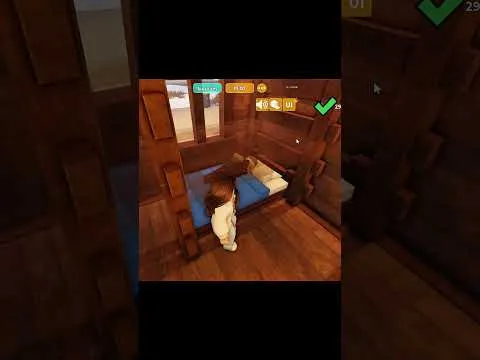
Bunks are a player-built stack of two ordinary beds. There is not a single shop object that every tutorial agrees is required, and some players say the catwalk never appeared in their shop.
Methods that players have shown
These are building tricks from January 2026 tutorials, not a studio blueprint. Try one in an empty room before you rebuild a full dorm.
Fences as posts. One short uses two beds, one catwalk, and four fence pieces: stack fences at the foot to mark height, place the lower bed between the fences, attach a catwalk to the wall with a gap above the lower bed, place the upper bed on the catwalk, then remove the catwalk. A comment on that short says two fences and two beds were enough without the catwalk.
Fence as a height guide. Another tutorial starts with a wall, places a fence to mark height, sets the upper bed so it looks supported, removes the wall if you want an open side, then puts the second bed underneath. Against a wall, one fence can be enough. In the middle of a room, use two.
Snap to a sleeping guest. A January 2026 advanced video shows a bed passing through an empty wall, but snapping on top of a guest who is already in the lower bed. The gap is only about one body high. A comment adds that a temporary wall can be used as a snap line and then deleted.
Catwalk, then delete. The stairs tutorial builds the bunk by placing a bed, using a catwalk for the second bed, then deleting the catwalk so the upper bed stays.
What to spend
You need two beds you can already afford for Sleep. The catwalk comes from the Rare decoration pack in pack guides. If Rare is not in your shop yet, use a fence method or wait. Do not buy a Robux pack only to test a bunk while the cooker is empty.
Leave a way up that guests and you can both use. A bunk with no approach is décor. After it looks right, add a light and a door if you are raising room quality.
If the upper bed falls or will not snap, delete the experiment and rejoin before you repeat it. Saves and half-deleted floors are a common way to lose a layout.